🎮 Poki Games: Best Free Online Games to Play in 2026
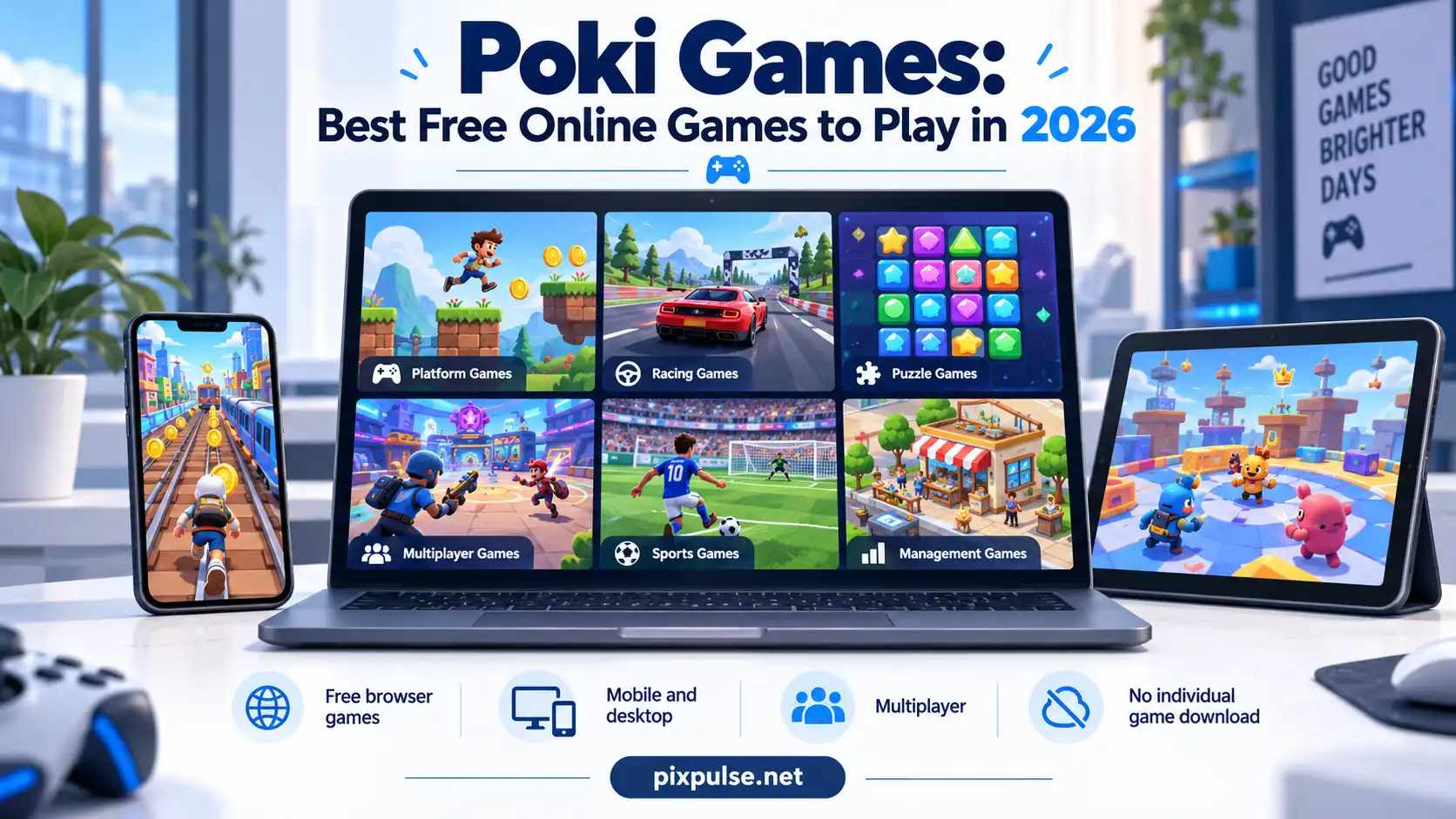
Choosing the right Poki game can take more time than expected. There are more than 1,700 web games to explore, and players may also wonder which ones work well on a phone, Chromebook, or desktop, which games support friends, and whether Poki is suitable for younger players. A simple list of popular titles does not answer all of those questions.
While researching gaming topics and creating content for PixPulse, I have found that useful game guides need to help readers choose based on genre, device, available time, skill level, and multiplayer options. This guide uses current information from Poki’s official pages to explain how the platform works, recommend games for different players, and answer practical questions about downloads, accounts, saved progress, ads, privacy, safety, and loading problems.
🕹️ What Are Poki Games?
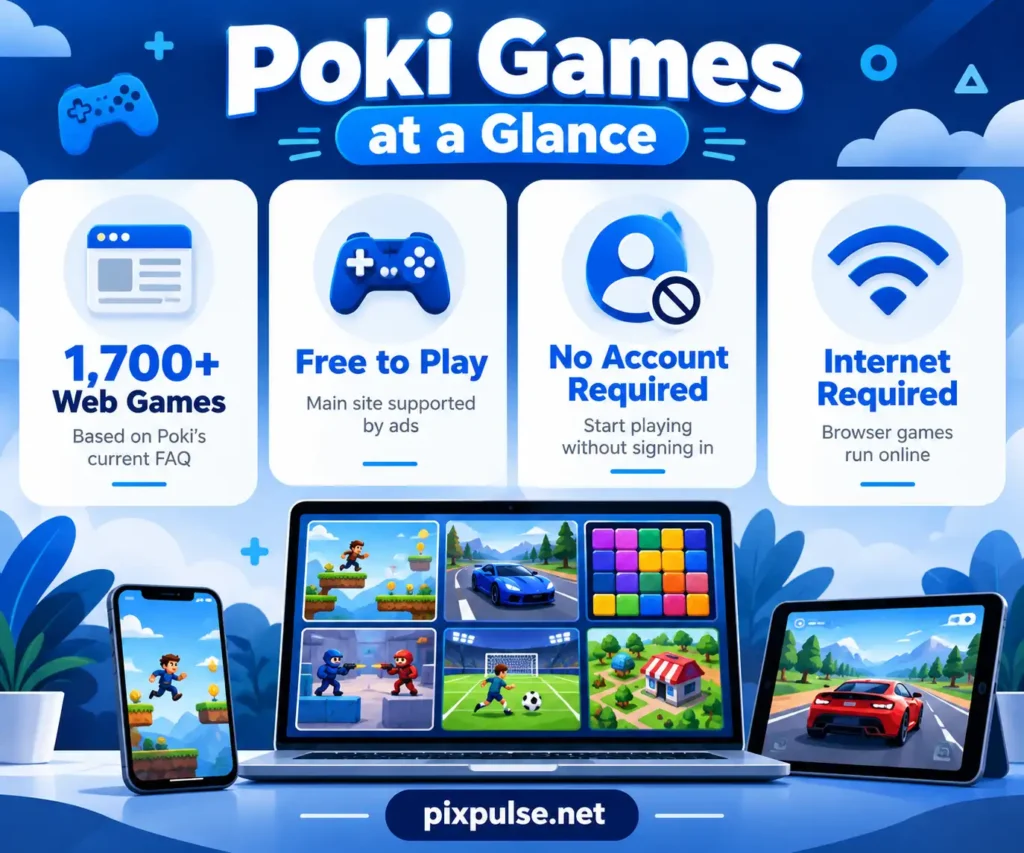
Poki is a free gaming website where games run directly in your browser. Its current FAQ describes the service as an online playground with more than 1,700 web games from developers around the globe. Poki also says more than 100 million players use the platform each month.
You do not have to stick to one type of game. Poki covers action, racing, puzzles, sports, simulation, multiplayer, two player, strategy, skill, drawing, cooking, dress up, and many other categories.
Poki’s homepage also says its games work instantly in the browser without requiring individual game installations. The company has operated since 2014 and is based in Amsterdam.
💰 Are Poki Games Free?
Yes. Poki says its games are free to play.
The main service uses advertising to support free access and provide income to participating game developers. Poki does not currently offer a paid ad-free version of Poki.com.
That makes Poki useful for casual players who want to start a game without buying it first.
📥 Do You Need to Download Poki Games?
No individual game download is needed for normal Poki browser play.
On phones and tablets, Poki says every game in its mobile section runs through a modern browser. The company specifically states that these games work on both iOS and Android.
Some developers also release separate Android or iOS versions of their games. Those apps are optional and separate from playing through Poki.com.
👤 Do You Need a Poki Account?
No. You can start playing without creating an account.
Poki also says most multiplayer games can be played without signing in. An account becomes more useful if you want supported progress or settings to follow you across browsers and devices.
Without an account, some progress can remain in browser cookies or local storage. This matters if you regularly clear browser data.
🏆 Best Poki Games to Play Right Now
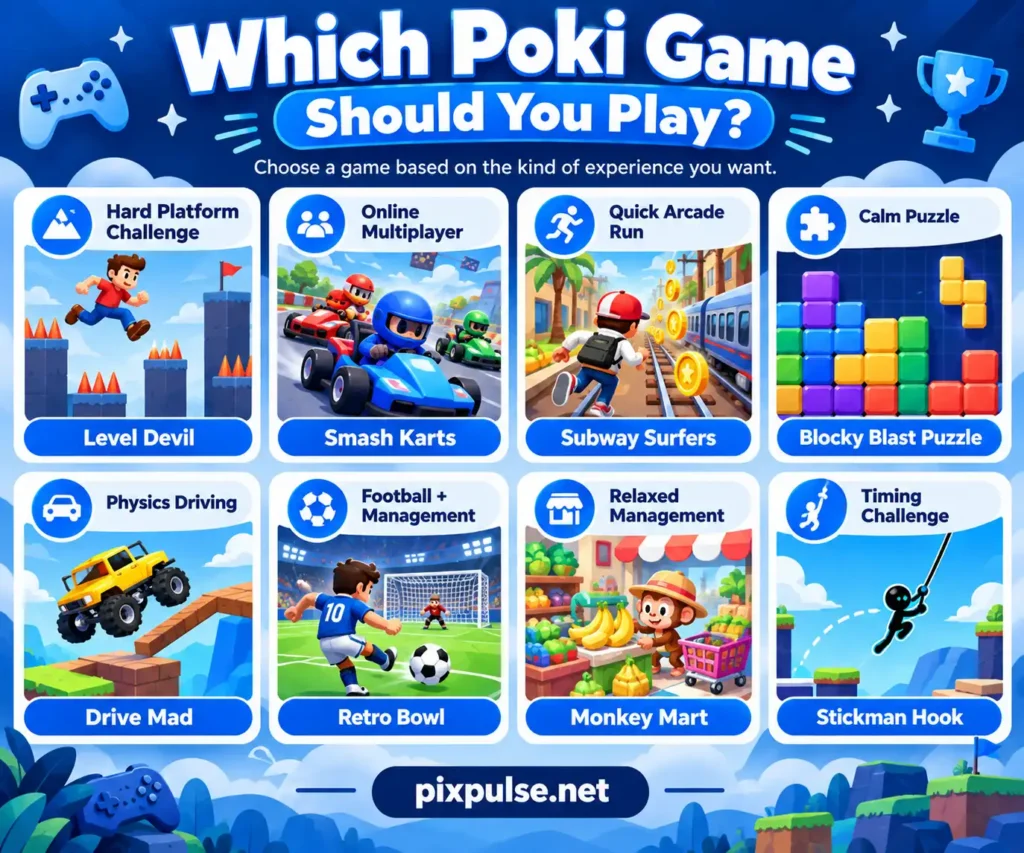
The most popular game is not always the right game for you. Someone looking for a five minute arcade session has different needs from a player who wants multiplayer competition, football management, puzzles, or relaxed progression.
The table below focuses on different player needs instead of forcing every game into one ranking.
| You want… | Try | Game style | Why it fits |
|---|---|---|---|
| A hard challenge | Level Devil | Platform | Short levels with unexpected traps |
| Online competition | Smash Karts | Multiplayer battle | Fast matches against other players |
| A quick arcade game | Subway Surfers | Endless runner | Easy controls and short runs |
| A calm puzzle | Blocky Blast Puzzle | Puzzle | Simple controls with planning |
| Driving challenges | Drive Mad | Physics driving | Balance and timing matter |
| Football and management | Retro Bowl | Sports/management | Matches plus team decisions |
| Relaxed progression | Monkey Mart | Management | Build and improve a supermarket |
😈 Level Devil
Level Devil looks like a simple platform game, but its stages constantly change the rules. Floors can disappear, hazards can move, controls can reverse, and apparently safe paths may turn into traps.
The official Poki page contains slightly different wording about the exact level count, describing the game as having either nearly or more than 200 levels. The safe takeaway is that it has about 200 levels spread across three increasingly difficult worlds.
Level Devil also includes a two player mode. Players compete across five rounds, and winning at least three takes the match.
Best for: Players who enjoy short retries, surprises, and difficult platform challenges.
🏎️ Smash Karts
Smash Karts is a multiplayer kart battle game. Instead of racing toward a finish line, players drive around an arena, collect weapons, and compete for points.
It also supports private multiplayer rooms. Poki lists Smash Karts as one of the games where friends can create a room and share a link or code.
Best for: Friends who want quick online competition.
🏃 Subway Surfers
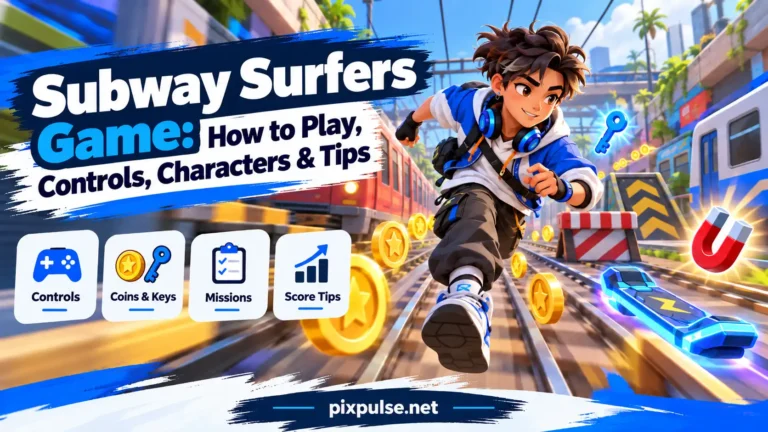
Subway Surfers is an endless runner built around quick movement and avoiding obstacles. The controls are simple enough for new players to learn without a long tutorial.
Its short runs make it a good fit when you have only a few minutes. You can stop after one attempt or keep trying to beat your previous run.
Best for: Fast arcade sessions and beginners.
🧩 Blocky Blast Puzzle
Blocky Blast Puzzle slows things down. You place block shapes onto a board and try to clear space by completing rows or columns.
The controls are simple, but poor placement can leave you without enough room for future blocks. This gives the game more planning than its basic design first suggests.
Best for: Players who want a calm puzzle rather than fast action.
🚗 Drive Mad
Drive Mad is a physics based driving game where balance matters as much as speed. You control acceleration and braking while dealing with jumps, slopes, unusual vehicles, and changing terrain.
Poki currently lists 250 levels across three worlds. The main world has 200 levels, while two smaller worlds add another 50.
The controls look simple, but small timing mistakes can send the vehicle into a crash.
Best for: Driving fans who enjoy physics and repeated attempts.
🏈 Retro Bowl
Retro Bowl combines American football with team management. You control offensive plays while also improving players, facilities, staff, and your wider team.
Poki describes itself as the official home of the only licensed Retro Bowl web version. The game also includes a two player mode inside Exhibition Game.
This makes it deeper than a quick sports mini game because decisions outside each match also matter.
Best for: Football fans who want both gameplay and team management.
🛒 Monkey Mart
Monkey Mart is a single player management game where you run a store. You grow products, stock shelves, serve customers, upgrade the shop, and hire workers as the business becomes busier.
Poki currently lists six marts to unlock. Each new mart introduces a different store design and product mix.
If management systems interest you, the PixPulse life simulation games guide covers larger games built around long term daily life and progression systems.
Best for: Players who prefer relaxed management over direct competition.
🪝 Stickman Hook
Stickman Hook focuses on timing and momentum. You attach to hooks, swing forward, and release at the right moment to reach the next section.
The basic controls are easy to learn, but good timing takes practice. Short retries make it useful for quick sessions.
Best for: Players who like skill games with simple controls.
🎯 Which Poki Game Should You Play?
Do not choose only by popularity. Start with what you want from the next ten or twenty minutes.
| If you want… | Try |
|---|---|
| A hard platform game | Level Devil |
| Online multiplayer action | Smash Karts |
| A quick arcade run | Subway Surfers |
| A calm puzzle | Blocky Blast Puzzle |
| Physics-based driving | Drive Mad |
| Football and management | Retro Bowl |
| Relaxed store management | Monkey Mart |
| Timing challenges | Stickman Hook |
| Board strategy | Master Chess |
| Simple driving | Drift Boss |
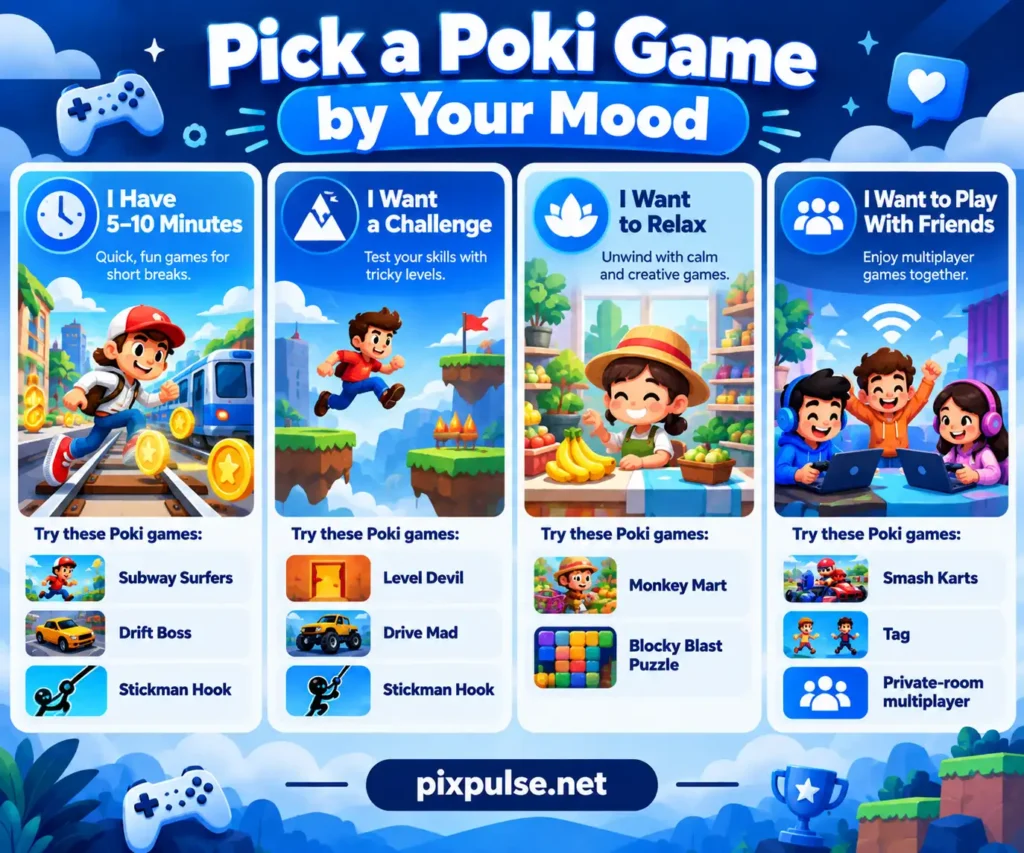
⚡ Best Poki Games for a Quick Break
Short sessions work best with games that start fast and do not require a large tutorial.
Subway Surfers, Stickman Hook, Drift Boss, Blocky Blast Puzzle, and Level Devil are good examples. You can understand their basic goals quickly and stop after one or two rounds.
This type of game suits students, casual players, and anyone filling a short break.
🌱 Best Poki Games for Beginners
New players should look for games with clear goals and a small number of controls.
Subway Surfers centers on movement and avoiding obstacles. Blocky Blast Puzzle uses simple drag and place controls, while Stickman Hook focuses mainly on timing.
Start with something you understand within the first few minutes. More difficult platform, strategy, and multiplayer games can come later.
😌 Best Relaxing Poki Games
Not every gaming session needs competition.
Puzzle, drawing, cooking, dress up, idle, and management games can offer a slower pace. Poki’s homepage currently highlights drawing, dress up, and cooking categories as options for players who want to take their time.
Monkey Mart and Blocky Blast Puzzle are two useful starting points.
🔥 Best Challenging Poki Games
Level Devil is an obvious option for players who enjoy repeated failure and pattern learning. Drive Mad adds a different challenge because vehicle balance and timing can turn a simple looking stage into a difficult one.
Stickman Hook rewards practice through better timing and momentum.
If repeated runs and gradual improvement are the main appeal, the PixPulse roguelite games guide explains a broader genre built around repeated attempts and changing runs.
🗂️ Popular Types of Poki Games
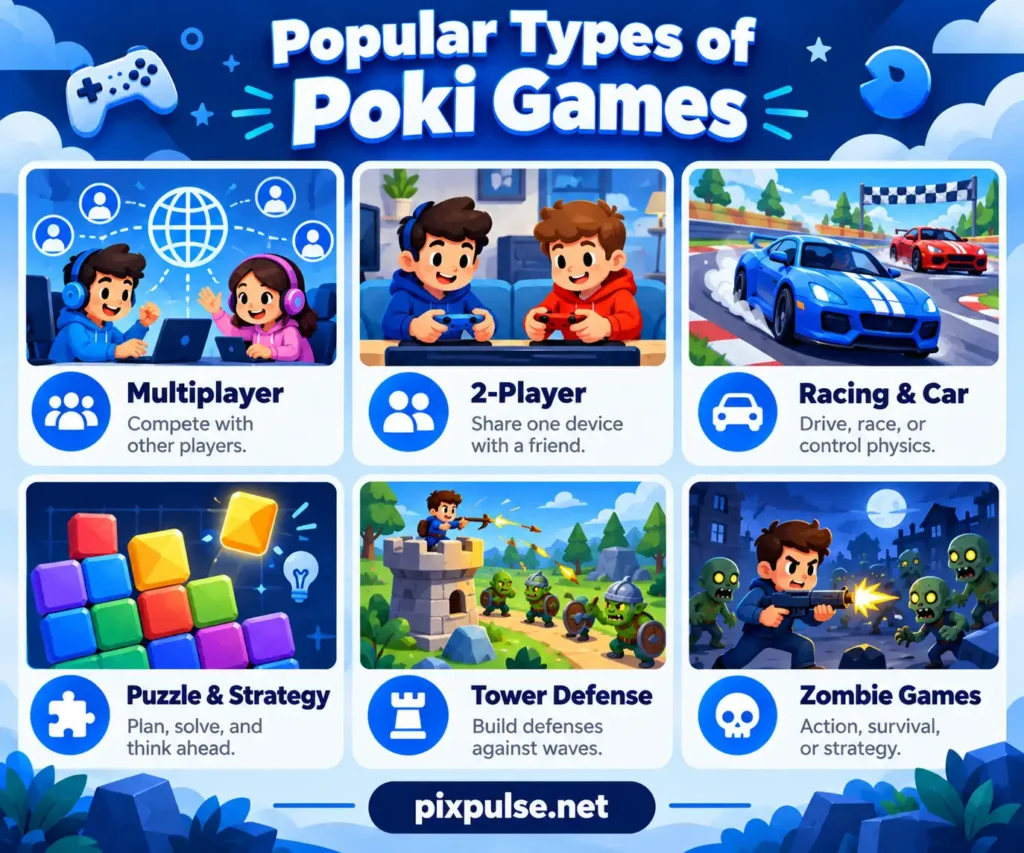
Browsing by genre can save time if you already know what you enjoy.
Poki’s catalog includes multiplayer, sports, puzzles, car games, action games, two player titles, brain games, skill games, adventure games, and many other categories.
👥 Multiplayer Games
Poki currently offers more than 150 multiplayer games. Multiplayer can mean several things depending on the title.
The platform lists:
- private rooms
- public matchmaking
- turn based online play
- local multiplayer on one device
This makes it worth checking the multiplayer method before inviting friends.
👫 2-Player Games
Poki distinguishes two player games from general multiplayer games.
Two player games are often played on the same screen using shared controls. Online multiplayer usually connects people through private rooms, lobbies, or matchmaking instead.
Level Devil and several sports titles offer same device competition.
🚙 Racing and Car Games
Car games can feel very different from one another.
Drive Mad is about physics and balance. Drift Boss centers on timing, while Smash Karts adds combat and multiplayer competition.
Choose by play style rather than assuming every car game is a traditional race.
🧠 Puzzle and Strategy Games
Puzzle games focus on patterns, planning, placement, or problem solving.
Poki’s homepage currently describes more than 250 puzzle games in its catalog.
For players who prefer longer tactical decisions outside short browser sessions, the PixPulse strategy games guide covers deeper mobile strategy games across turn based, RTS, 4X, tower defense, and other styles.
🏰 Tower Defense Games
Tower defense games ask you to stop waves of enemies by placing defenses, units, traps, or upgrades in useful positions.
If this style becomes your main interest, the PixPulse tower defense games guide compares dedicated tower defense games across mobile and PC.
🧟 Zombie Games
Zombie games can range from simple browser action to survival, horror, crafting, and strategy.
If you want a deeper experience than a quick browser title, the PixPulse zombie games guide compares current games across survival, co-op, horror, and action styles.
📱 How to Play Poki Games on Your Device
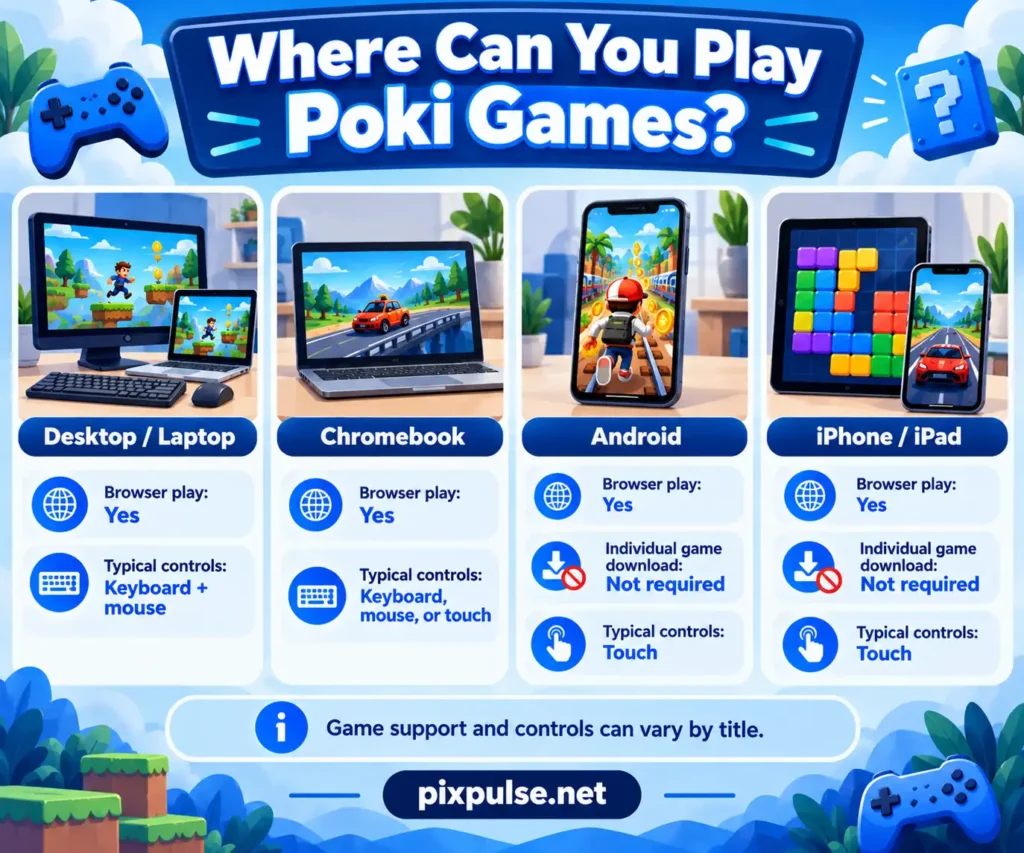
Poki supports browser gaming across computers, phones, and tablets. Its mobile section says games use touch friendly layouts and controls made for smaller screens.
Performance can still vary by game. A simple puzzle title places different demands on a device than a 3D multiplayer game.
| Device | Browser play | Game download needed? | Typical controls |
|---|---|---|---|
| Windows / Mac | Yes | No | Keyboard and mouse |
| Chromebook | Yes | No | Keyboard, mouse, or touch |
| Android | Yes | No individual game download | Touch controls |
| iPhone / iPad | Yes | No individual game download | Touch controls |
💻 Desktop and Laptop
Desktop games commonly use a keyboard, mouse, or both.
Control layouts differ from one title to another, so check the Controls section on the individual game page before starting.
Desktop can also be better for games that need several keyboard inputs or local multiplayer on one keyboard.
🤖 Android
Poki games work through modern Android browsers.
Poki also confirms that it has an Android app available through Google Play.
You still do not need to install each browser game separately.
🍎 iPhone and iPad
Poki’s mobile games work on iOS devices with a modern browser.
That means iPhone and iPad users can play supported titles through the web without installing each one.
Some game developers may also provide their own separate iOS apps.
💻 Chromebook
A Chromebook can run browser games that work with its browser and hardware.
Simple puzzle, arcade, and skill games may be easier on modest hardware than more demanding 3D games. Actual performance can depend on the title, browser version, available memory, and internet connection.
There is no need to install a traditional Windows game client just to use normal Poki browser games.
📲 Mobile vs Desktop
Mobile works naturally with games based on tapping, dragging, or swiping.
Desktop can be more comfortable when a game uses several keyboard controls, a mouse, or shared keyboard multiplayer.
Neither option is better for every title. Check the game’s controls and device support before deciding.
🌐 Can You Play Poki Games Offline?
No.
Poki’s current FAQ says its games can only be played online because they run in the browser and need an internet connection to load and play.
A developer may offer a separate downloadable version of an individual game. That does not make the Poki browser version available offline.
🎮 Best Poki Games to Play With Friends
Poki supports several ways to play with other people.
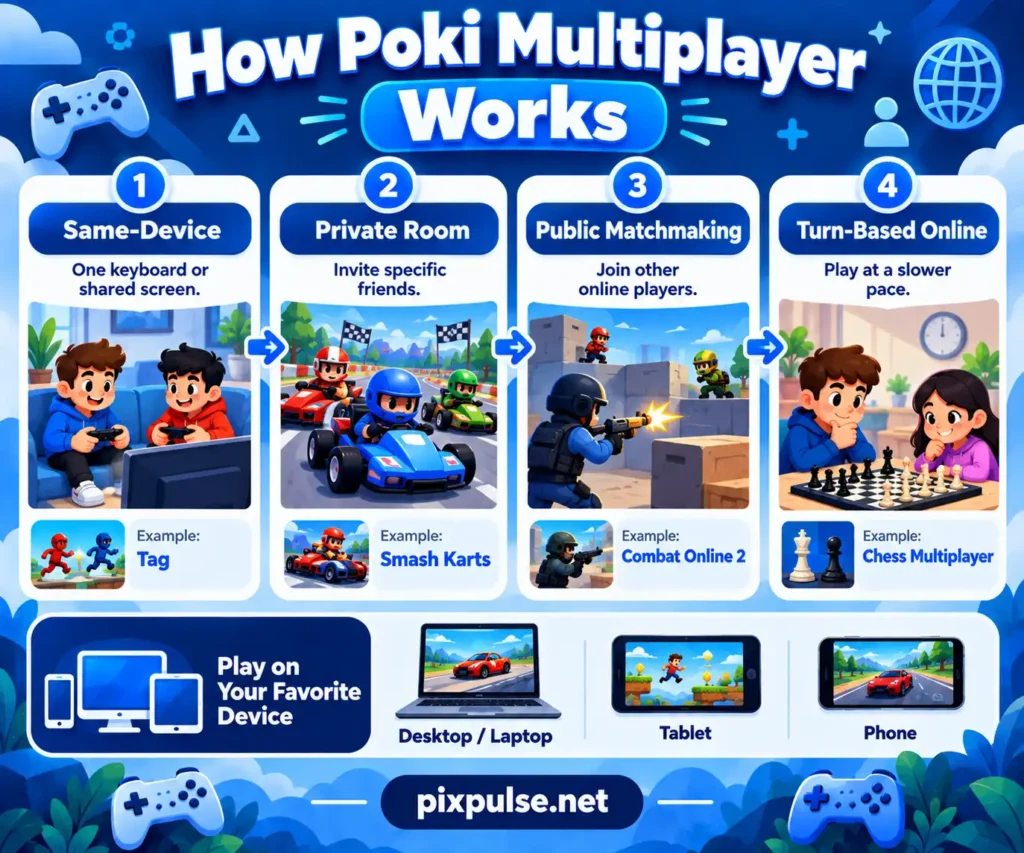
Depending on the game, friends can share one computer, join a private room, use public matchmaking, or play a turn based online match.
| Multiplayer type | Best when… | Devices | Example |
|---|---|---|---|
| Same-device | Friends are in the same room | One shared device | Tag |
| Private room | You want specific friends to join | Separate devices | Smash Karts |
| Public matchmaking | You want quick online opponents | Separate devices | Combat Online 2 |
| Turn-based online | You prefer slower competition | Separate devices | Chess Multiplayer |
⌨️ Same Device Games
Local multiplayer lets several people use the same computer.
Poki lists Tag and House of Hazards as examples that can support up to four people using one keyboard.
This is useful when everyone is sitting together and does not want to connect through separate devices.
🔐 Private Rooms
Private rooms are useful when specific friends want to play together online.
Poki lists Smash Karts and Ball Guys as examples where players can create a room and share a code or link.
This gives you more control over who joins than public matchmaking.
🌍 Public Matchmaking
Public matchmaking pairs you with other online players.
Poki currently uses Combat Reloaded and Combat Online 2 as examples. Chess Multiplayer and TicTacToe represent slower turn based online play.
📱 Can Friends Use Different Devices?
Yes, when the game supports it.
Poki says friends can join the same multiplayer match from desktop, mobile, or tablet.
Always check the individual game’s instructions because multiplayer features vary by title.
💾 Does Poki Save Your Game Progress?
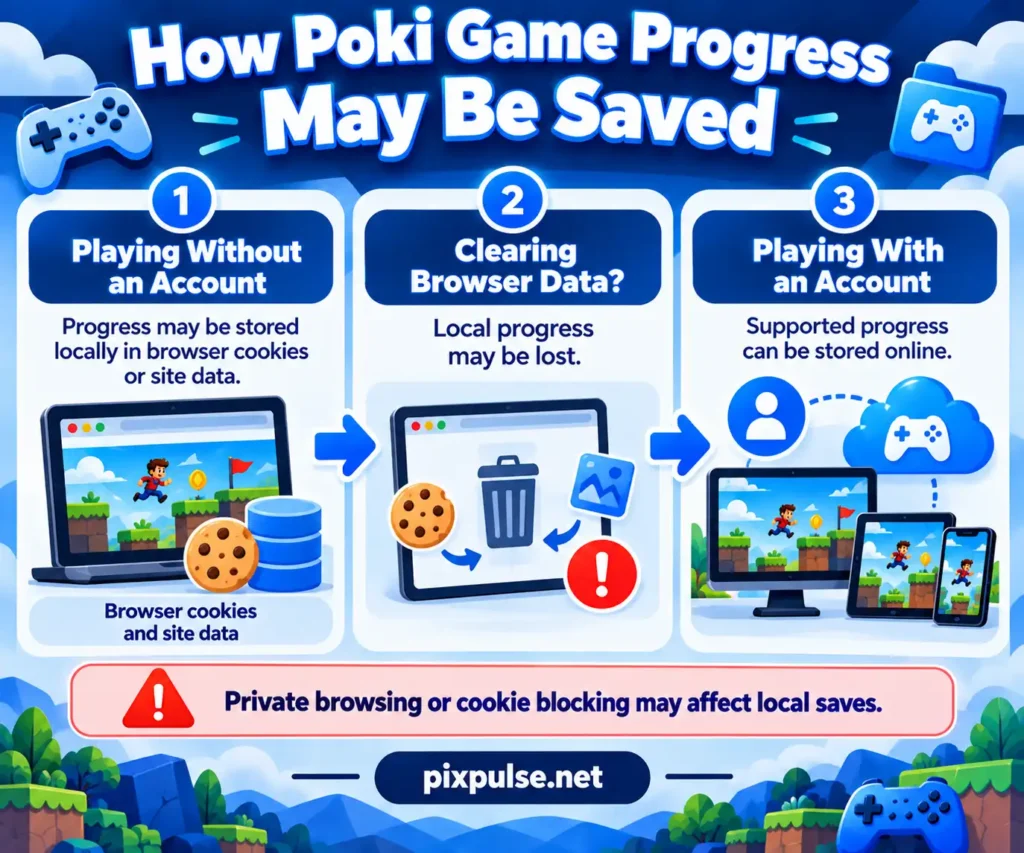
Poki can store progress differently depending on whether you use an account.
Cookies and local storage can remember which games you played and how far you progressed. Poki’s Privacy Center confirms that these tools may store language settings, previous activity, and game progress.
🍪 Playing Without an Account
You can play without registering.
Some progress may stay in browser cookies or similar local storage. If you delete that data, locally saved progress may disappear.
Private browsing can also interfere with this type of storage.
☁️ Playing With an Account
Poki says it uses account data in part to save game progress.
An account can therefore be more useful if you regularly switch devices or browsers.
Save behavior can still differ by game, so check the individual title if progress is important to you.
🛡️ Is Poki Safe?
Poki says games are checked before appearing on the platform and publishes separate information about ads, accounts, cookies, privacy, and reporting problems.
Still, parents should not assume every title suits every child. Game themes, difficulty, online interaction, and advertising can differ from one game to another.
👧 Is Poki Safe for Kids?
Poki points younger players toward Poki Kids, its child focused service.
Parents should still check the game a child wants to play. Multiplayer options, themes, and difficulty can vary even inside a curated game library.
🧸 What Is Poki Kids?
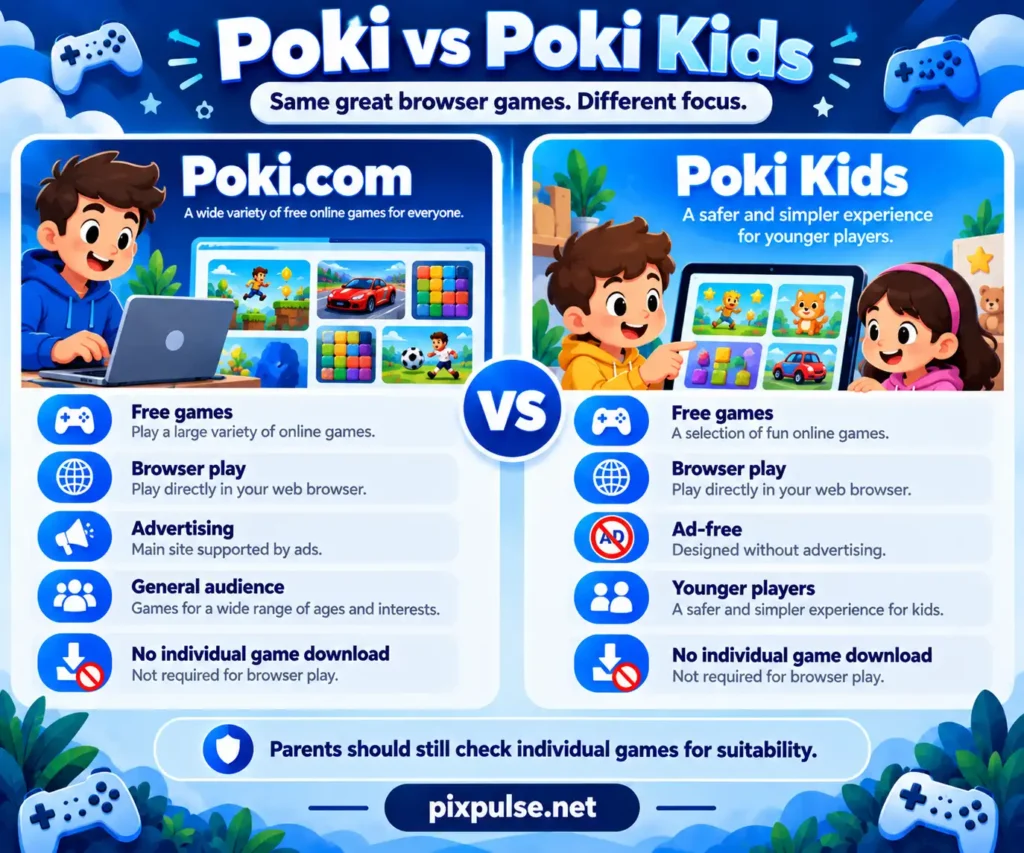
Poki Kids is Poki’s ad-free option for younger players.
The biggest difference from the main site is the child focused experience and lack of advertising.
| Feature | Poki.com | Poki Kids |
|---|---|---|
| Free games | Yes | Yes |
| Browser play | Yes | Yes |
| Advertising | Yes | Ad-free |
| Main audience | General players | Younger players |
| Individual game installation | Not needed for browser play | Not needed for browser play |
Parents should still review the individual games based on their child’s age and comfort level.
💬 Does Poki Have Chat?
Most Poki games do not center on open communication.
Some multiplayer titles may provide controlled communication features rather than unrestricted chat. Check the individual title if online interaction is a concern.
📢 Why Does Poki Have Ads?
Poki says advertising keeps the main service free and helps developers earn money from their games.
The company does not currently offer a paid ad-free version of Poki.com.
Poki Kids is the separate ad-free option.
🔒 How Does Poki Handle Privacy?
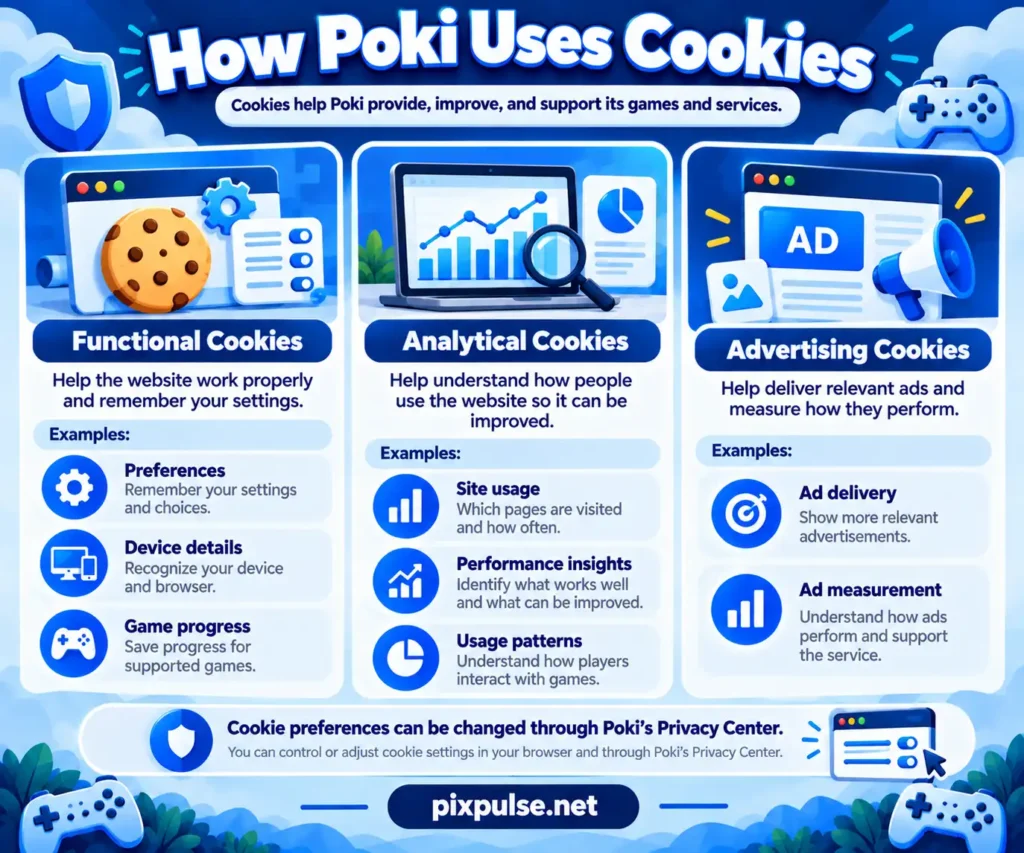
Poki uses cookies and related browser technologies for several purposes.
Its Privacy Center groups them into:
- functional cookies
- analytical cookies
- advertising cookies
Functional cookies can remember device details, preferences, games played, and progress. Analytical cookies help Poki study how the website is used, while advertising cookies support ad delivery.
Poki also says users can change cookie preferences through its Privacy Center. Those settings do not automatically carry from one device to another.
Privacy rules can also vary by location. Poki says a user’s IP address helps determine the local version of its service and the privacy rules that apply.
🦠 Can Poki Games Give You a Virus?
Poki describes its main service as browser based gaming without individual game installations.
That reduces the need to download random executable files simply to start a game.
Still, make sure you are using the official Poki website before entering account information or changing browser settings.
🧰 Poki Games Not Loading? Try These Fixes
If a game will not load, start with Poki’s own troubleshooting advice.
Use the least disruptive fixes first because clearing site data can affect local game progress.
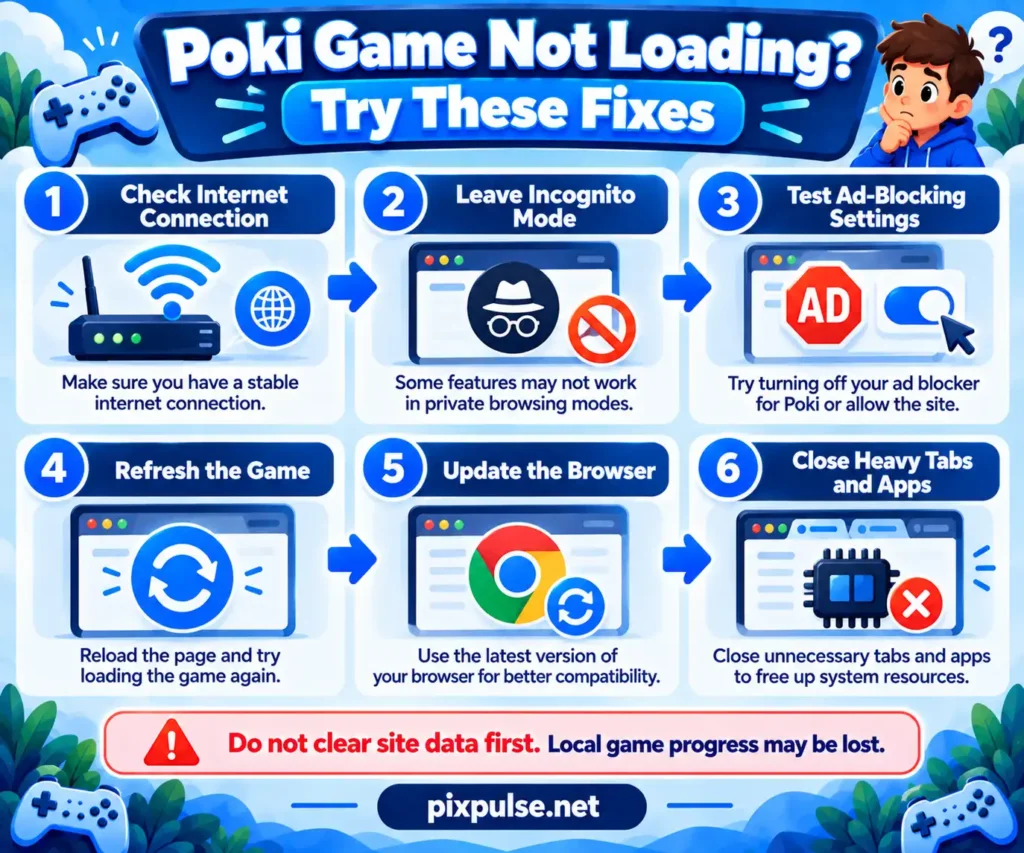
1️⃣ Check Your Internet Connection
Poki requires an internet connection.
Make sure other websites load correctly and that your connection is stable.
If one multiplayer game fails while other sites and games work, the problem may be limited to that title or session.
2️⃣ Leave Incognito or Private Browsing
Private browsing can affect cookies and local storage.
If you are troubleshooting a game, reopen Poki in a normal browser window before changing more settings.
3️⃣ Test Your Ad-Blocking Settings
Poki’s support guidance recommends testing the site without an ad blocker if a game does not work correctly.
Treat this as a troubleshooting test, not proof that every loading problem comes from an extension.
4️⃣ Refresh the Game
Reload the page and give the title another chance to start.
You can also open a second Poki game. If the second game works, the problem may be limited to the first title.
5️⃣ Update Your Browser
Poki’s mobile service expects a modern browser.
Updating Chrome, Safari, Edge, Firefox, or another browser can help if an old version struggles with newer web features.
6️⃣ Close Unneeded Tabs and Apps
A device with limited memory can struggle when several demanding programs are open.
Close unused tabs or apps and test the game again.
If simple games run well while a heavier 3D title struggles, device resources may be part of the problem.
7️⃣ Be Careful Before Clearing Site Data
Cookies can contain local game progress.
Do not make clearing browser data your first troubleshooting step if you have progress you want to keep.
Check whether the game can save progress through an account before deleting local information.
🏫 Why Is Poki Blocked at School?
Schools and workplaces may restrict gaming websites on their networks.
If Poki is blocked by the network administrator, follow the rules of that network. Use the service later on a connection where gaming websites are allowed instead of trying to bypass restrictions.
🌐 What Is the Official Poki Website?
The official service is Poki.com.
That is where Poki hosts its game library, help pages, multiplayer categories, account system, privacy information, and official game pages.
Check the domain when search results contain websites with similar names.
🆕 How to Find New Poki Games
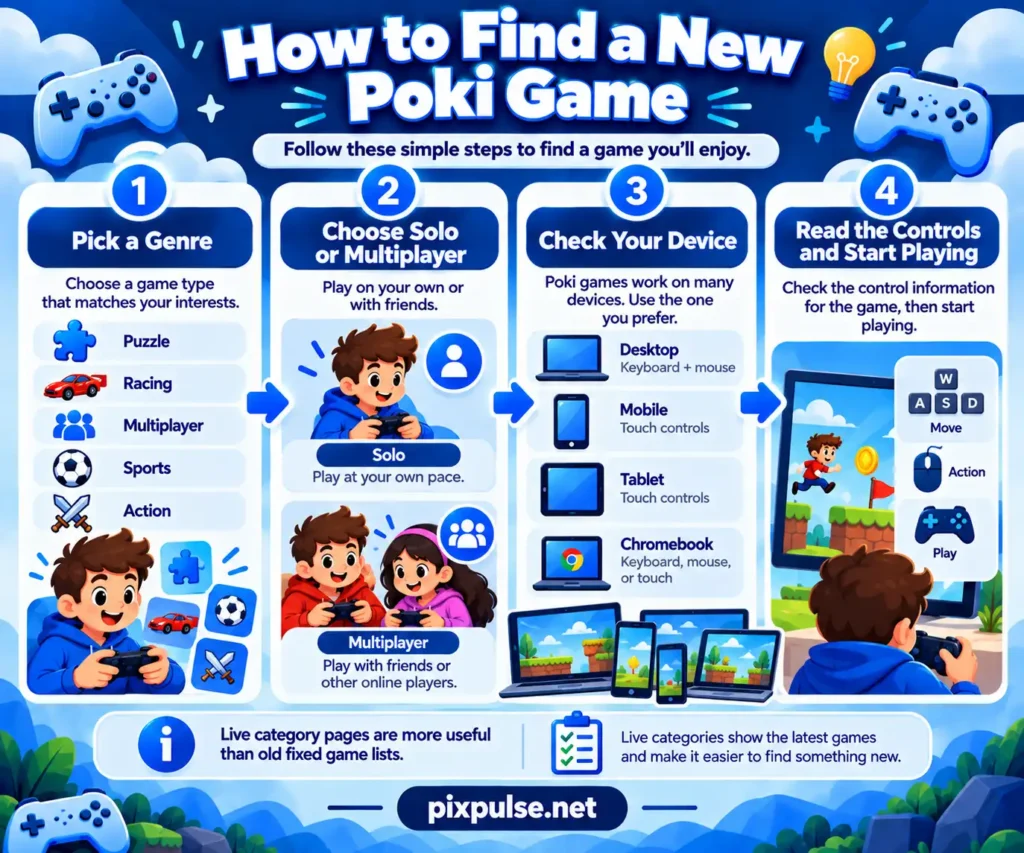
You do not have to rely on an old Top 20 list.
Start with Poki’s main categories and current game pages. Genre pages are useful if you already know whether you want puzzles, driving, multiplayer, sports, drawing, cooking, or something else.
Poki says new games are added regularly, so a live category page can be more useful than a recommendation article that has not been updated.
A simple discovery process is:
- Pick a genre.
- Decide whether you want solo or multiplayer.
- Check whether the title supports your device.
- Read the controls.
- Try one or two games before spending time comparing dozens.
That is usually faster than choosing only by popularity.
🖥️ Can You Play Poki Games in Full Screen?
Many Poki titles support full screen play.
For example, Retro Bowl and Monkey Mart both have full screen controls on their current official game pages.
Availability can vary by title and device. If a full screen button appears around the game area, use that rather than changing unrelated browser settings.
🤖 Can AI Help You Find a Poki Game?
AI tools can help narrow a large game library when you are unsure where to start.
The useful part is giving the tool specific preferences. Include:
- your device
- your favorite genre
- how much time you have
- whether you want solo or multiplayer
- your skill level
- whether you prefer calm or difficult games
For example:
Find me a Poki game for Chromebook that is easy to learn, works for a 10 minute session, and does not require multiplayer.
Then confirm the suggestion on Poki before playing it. Game availability, device support, and platform features can change.
AI can also explain unfamiliar terms such as .io games, local multiplayer, roguelite, tower defense, idle games, or simulation. Use it as a discovery aid, while relying on current official Poki pages for platform facts.
⚖️ Poki vs Other Free Browser Game Sites
Poki is one of several services built around browser gaming.
Other platforms may have different catalogs, account systems, ads, multiplayer options, and device support. A useful comparison should therefore focus on your needs instead of trying to declare one site universally better.
Ask:
- Does it have the games I want?
- Can I play on my device?
- Do I need an account?
- How does multiplayer work?
- How are ads handled?
- Does progress save?
- Are there useful genre categories?
For some players, the bigger decision is between quick browser games and deeper installed titles. PixPulse’s strategy games guide, life simulation games guide, and tower defense games guide can help if you want longer sessions and deeper game systems.
❓ Frequently Asked Questions (FAQ’s) About Poki Games
🏁 Conclusion
Poki gives casual players a simple way to access a large range of free browser games, but the right choice depends on what you want to play, the device you use, how much time you have, your skill level, and whether you want to play alone or with friends. From my work researching gaming topics for PixPulse, I have found that a useful recommendation should help readers match a game to their needs instead of pushing the same popular title to everyone. Use this guide as a starting point, check the current Poki game page for device support and features, and choose the game that best fits your play style.