

🎮 Best Gaming Phones for Mobile Gaming (FPS, Cooling & Battery Tested)

Modern Best Gaming Phones for Mobile Gaming demand much more power than they did a few years ago. Games like PUBG Mobile, Call of Duty: Mobile, War zone Mobile, and Genshin Impact push smartphones very hard during long gaming sessions. Many gamers deal with overheating, FPS drops, battery drain, touch delay, and lag spikes during ranked matches. Some phones even perform smoothly for a short time and then lose stability once temperatures rise inside the device.
After comparing gaming-focused smartphones and studying real gameplay behavior, one thing became very clear. Smooth gaming depends on more than benchmark scores alone. Phones with efficient cooling systems, stable frame consistency, responsive controls, and balanced battery management usually deliver a better gaming experience during extended gameplay. This guide focuses on the things gamers actually notice during real matches, including sustained gaming performance, thermal efficiency, touch responsiveness, battery behavior, and gameplay smoothness.
🧪 How We Selected These Gaming Phones
We selected these gaming-focused smartphones based on gameplay experience instead of only benchmark scores or marketing claims. We compared cooling efficiency, gameplay smoothness, battery behavior during gaming, touch responsiveness, display quality, and sustained gaming performance during demanding games.
We also focused heavily on long-session behavior because many smartphones perform well during short sessions but start overheating after extended gameplay.
✅ Why You Can Trust This Guide
This guide focuses on real gaming experience instead of only technical specifications. Many devices look powerful on paper but struggle during longer gaming sessions because of thermal throttling and weak cooling systems.
We focused on:
- FPS consistency
- thermal management
- gameplay smoothness
- battery behavior
- touch responsiveness
- long-session gaming performance
The goal is to help gamers choose devices that actually perform well during real gameplay conditions.
🔄 How We Keep This Guide Updated
Mobile gaming changes quickly because smartphones, processors, and games receive frequent updates. We regularly review gaming-focused devices, gaming optimization features, chipset improvements, and major game performance changes to keep this guide useful and accurate.
📌 Gameplay Experience Note
Gaming smoothness may vary depending on:
- graphics settings
- room temperature
- internet quality
- software updates
- brightness levels
- game optimization patches
Results may differ slightly between gaming devices and gameplay conditions.
⚡ Best Gaming Phones Compared Best Gaming Phones for Mobile Gaming
| Gaming Need | Best Choice | Why It Stands Out |
|---|---|---|
| Competitive Gaming | ASUS ROG Phone Series | Stable FPS and advanced cooling |
| Long Gaming Sessions | REDMAGIC Gaming Series | Internal cooling fan and large battery |
| Budget Gaming | POCO Gaming Series | Strong value for money |
| iOS Gaming | iPhone Pro Max Series | Excellent software optimization |
🏆 Best Overall Gaming Phone
🎮 ASUS ROG Phone Series
The ASUS ROG Phone series remains one of the most gaming-focused smartphone options available today. These devices focus heavily on thermal management, gameplay smoothness, and sustained gaming performance during long sessions.
During extended gameplay, the cooling system generally maintained better frame consistency than many regular flagship smartphones. Touch controls also felt responsive during competitive matches.
Despite its gaming focus, the device still handles multitasking, streaming, and daily apps smoothly.
✅ Pros
- Stable long-session gameplay
- Responsive controls
- Efficient cooling system
- Smooth high refresh gameplay
- Useful gaming software tools
❌ Cons
- Premium pricing
- Larger design than standard smartphones
📌 Quick Verdict
Best for:
- competitive gaming
- esports players
- long gaming sessions
Avoid if:
- you want compact devices
- camera quality matters more than gaming
💰 Best Budget Gaming Phone
🎮 POCO Gaming Series
POCO gaming devices provide strong price-to-performance value for gamers who want smooth gameplay without paying flagship-level prices.
Games like PUBG Mobile and COD Mobile generally run smoothly at medium to high settings. Battery life also remains reliable for daily gaming sessions.
The phones also work well for social media, streaming, and everyday use.
✅ Pros
- Affordable pricing
- Smooth high refresh display
- Fast charging support
- Good gaming optimization
❌ Cons
- Average camera quality
- Cooling weaker than premium gaming devices
📌 Quick Verdict
Best for:
- students
- casual gamers
- budget gaming
Avoid if:
- you play heavy games for many hours daily
- you want flagship-level cooling
🔥 Best Gaming Phone Under $500
🎮 OnePlus Gaming Models
OnePlus gaming-focused smartphones balance gaming performance, charging speed, battery life, and daily comfort very well.
The vapor chamber cooling system helps maintain smoother gameplay during long gaming sessions while the clean software experience improves multitasking and daily usability.
✅ Pros
- Strong value
- Fast charging
- Balanced daily performance
- Smooth gameplay
❌ Cons
- Fewer gaming-specific tools
- No internal cooling fan
🍎 Best iPhone for Gaming
🎮 iPhone Pro Max Series
The iPhone Pro Max series delivers one of the smoothest gaming experiences on iOS. Apple’s optimization helps games maintain stable frame consistency during demanding gameplay.
Games like Genshin Impact and Warzone Mobile generally perform smoothly because of efficient GPU optimization and balanced thermal management.
The device also performs very well for cameras, streaming, and everyday multitasking.
✅ Pros
- Excellent optimization
- Smooth gameplay
- Reliable software support
- Strong daily performance
❌ Cons
- Premium pricing
- Limited gaming customization
⚔️ Gaming Phones vs Regular Smartphones
Gaming-focused smartphones usually include:
- stronger cooling systems
- gaming software tools
- higher refresh rates
- improved touch response
- larger batteries
Regular flagship smartphones may still perform well for gaming, but gaming-focused devices often maintain smoother performance during long sessions because they are designed specifically for sustained gameplay.
🎯 Best Gaming Phones for Competitive Mobile Gamers
Competitive gamers need more than raw hardware power. Stable FPS, responsive controls, efficient cooling, and low touch latency matter much more during ranked gameplay.
Gaming-focused smartphones often include:
- advanced cooling systems
- gaming software modes
- trigger buttons
- higher touch sampling rates
These features improve gameplay consistency during competitive matches.
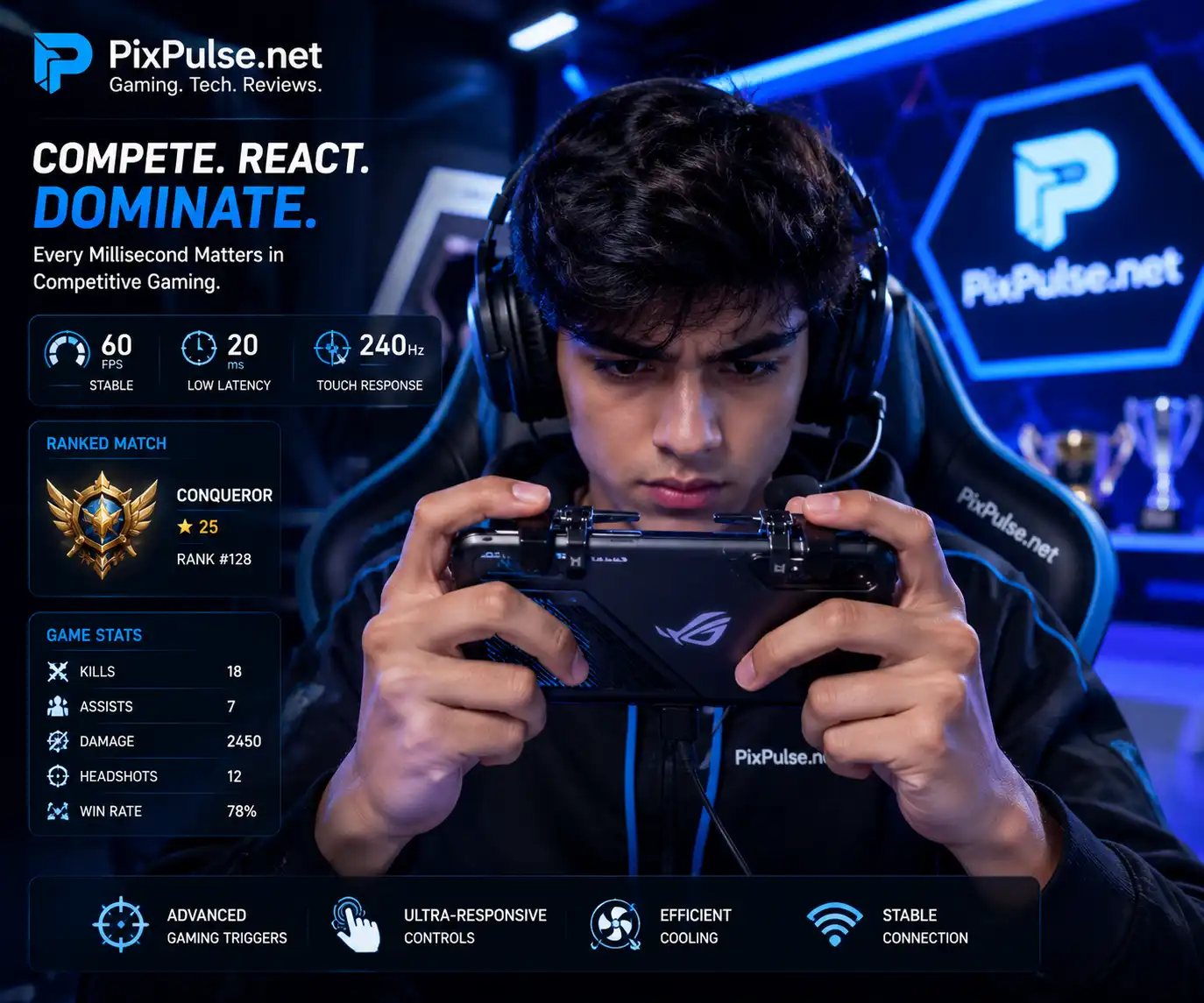
🎯 Gaming Triggers Improve Competitive Gameplay
Gaming triggers and shoulder buttons help competitive players react faster during shooter games.
These controls may improve:
- aiming speed
- shooting response
- finger comfort
- gameplay control
Competitive PUBG Mobile and COD Mobile players often prefer gaming devices with trigger support.
🔫 Best Gaming Phone for PUBG Mobile
🎮 REDMAGIC Gaming Series
PUBG Mobile players usually need stable gameplay, efficient cooling, and responsive controls. REDMAGIC gaming devices generally perform very well in these areas.
The internal cooling fan helps reduce heat buildup during longer gameplay sessions, which may improve sustained gameplay smoothness.
🎯 Best Gaming Phone for COD Mobile
🎮 ASUS ROG Phone Series
COD Mobile rewards smooth aiming response and stable controls. The ASUS ROG Phone series generally maintained smooth gameplay during competitive matches.
COD Mobile Performance
- Responsive controls
- Stable gameplay
- Smooth frame pacing
- Strong audio quality
🌍 Best Gaming Phone for Warzone Mobile
🎮 iPhone Pro Max Series
Warzone Mobile places heavy pressure on smartphone hardware. Many devices become warmer during extended gameplay sessions.
The iPhone Pro Max series generally handled texture loading, graphics rendering, and gameplay smoothness very well because of strong software optimization.
🗺️ Best Gaming Phone for Genshin Impact
🎮 REDMAGIC Gaming Series
Genshin Impact remains one of the most demanding mobile games. Efficient cooling systems and stable GPU performance matter a lot here.
Gaming-focused devices with advanced thermal systems generally maintain smoother gameplay during long exploration and combat sessions.
🔋 Best Gaming Phones for Long Gaming Sessions
Long gaming sessions create more heat and battery drain. Devices with efficient cooling systems and larger batteries usually maintain smoother gameplay for longer periods.
Long-session gamers should focus on:
- thermal efficiency
- stable frame consistency
- battery optimization
- fast charging
- bypass charging support
Heat can ruin a ranked match quickly.
🌡️ Why Sustained Performance Matters in Gaming
Many smartphones perform smoothly during short gaming sessions but start slowing down once internal temperatures rise. This happens because devices reduce performance to control heat levels.
Thermal throttling often causes:
- FPS drops
- stuttering
- delayed touch response
- gameplay instability
Gaming-focused devices with efficient cooling systems usually maintain smoother gameplay during extended sessions.

🎯 Quick Gaming Takeaway
Many smartphones perform smoothly during short gaming sessions but lose FPS stability after heat builds up. Phones with stronger cooling systems usually maintain smoother gameplay during long PUBG Mobile and Warzone Mobile sessions.
- Better cooling improves sustained FPS
- Thermal throttling causes frame drops
- Gaming phones stay smoother during long sessions
🌡️ Why Some Phones Overheat Faster
Some smartphones overheat more quickly because of:
- thinner designs
- smaller cooling systems
- aggressive graphics settings
- weaker thermal management
Demanding games like Warzone Mobile and Genshin Impact generate heavy GPU load, which increases heat during long gameplay sessions.
🔥 Why Phones Heat Up More While Charging and Gaming
Charging while gaming increases battery temperature because the device handles charging and heavy GPU load at the same time.
This often causes:
- higher temperatures
- battery drain
- reduced gameplay smoothness
Phones with bypass charging support help reduce battery heat during gaming while charging.

📊 PUBG Mobile FPS and Heat Experience
Actual gameplay experience changes depending on graphics settings and gaming conditions.

🔋 Battery Drain During Gaming
Battery drain changes depending on:
- graphics settings
- brightness
- internet quality
- background apps
- game optimization
Demanding games generally consume more battery and generate more heat.
📲 Background Apps Can Reduce Gaming Performance
Background apps use RAM, battery power, and processor resources even when they are not actively open.
Too many background apps may cause:
- FPS drops
- overheating
- battery drain
- slower gameplay
Gaming modes help reduce these problems by limiting unnecessary background activity.
| Gaming Problem | Common Cause | Possible Solution |
|---|---|---|
| FPS Drops | Thermal throttling | Improve cooling and lower graphics |
| High Ping | Weak internet connection | Use stable 5GHz WiFi |
| Battery Drain | High graphics settings | Reduce brightness and background apps |
| Phone Heating | Long gaming sessions | Use cooling accessories |
💾 Why Storage Matters for Mobile Gaming
Modern mobile games require large storage space because games now include:
- HD textures
- updates
- voice packs
- large maps
Faster storage also helps improve:
- game loading speed
- texture rendering
- update installation
- multitasking smoothness
🧠 Why RAM Matters for Mobile Gaming
RAM helps smartphones handle multitasking and demanding games more smoothly.
More RAM usually helps with:
- background app management
- smoother gameplay
- faster app switching
- stable long-session gaming
Gaming devices with higher RAM capacity generally handle demanding mobile games more efficiently.
☀️ Display Brightness Matters for Outdoor Gaming
Gaming accessories can improve comfort and control during extended gameplay sessions.
Popular gaming accessories include:
- cooling fans
- mobile controllers
- trigger buttons
- gaming earbuds
- finger sleeves
Cooling accessories can help reduce heat buildup during demanding games, though results vary depending on room temperature and graphics settings.

🔊 Why Speakers Matter in Mobile Gaming
Audio quality matters more than many gamers realize.
Good speakers help improve:
- directional sound
- footsteps in shooter games
- immersion
- voice chat clarity
Stereo speakers usually provide a better gaming experience during competitive gameplay.
📱 Display Size and Grip Comfort
Larger displays often improve immersion and control spacing during gaming. However, heavier devices may create hand fatigue during longer sessions.
Gamers should balance:
- screen size
- weight
- grip comfort
- portability
Comfort matters during extended gameplay.
⚡ Fast Charging for Gaming Phones
Fast charging matters for gamers who play multiple gaming sessions daily. Many gaming-focused smartphones now support high-speed charging systems that reduce downtime between gameplay sessions.
Phones with bypass charging also help reduce battery heat while charging during gaming.
📡 WiFi and Ping Stability for Mobile Gaming
Stable internet connection matters a lot during multiplayer gaming. High ping may create delayed reactions and lag spikes during competitive gameplay.
Gaming-focused smartphones with stronger WiFi systems usually provide:
- lower latency
- smoother multiplayer gaming
- faster downloads
- stronger connection stability
⚙️ Gaming Phone Software Optimization
Gaming software tools improve gameplay smoothness and reduce interruptions during matches.
Modern gaming smartphones often include:
- gaming modes
- FPS monitoring
- touch optimization
- background app blocking
- performance tuning
These features help improve gameplay consistency.
📲 Software Support Matters for Gaming
Long-term software support matters because games receive frequent optimization updates. Phones with reliable software updates often maintain smoother gaming performance for longer periods.
Good software support also improves:
- battery optimization
- security
- gaming compatibility
- app stability
🎧 Useful Gaming Accessories for Mobile Gamers
Gaming accessories can improve comfort and control during extended gameplay sessions.
Popular gaming accessories include:
- cooling fans
- mobile controllers
- trigger buttons
- gaming earbuds
- finger sleeves
Cooling accessories can help reduce heat buildup during demanding games, though results vary depending on room temperature and graphics settings.

📱 What Makes a Good Gaming Phone?
⚡ Processor Performance
Efficient processors help games run more smoothly during demanding gameplay.
🌡️ Cooling Systems
Cooling systems help reduce overheating and improve sustained gaming smoothness.
Popular cooling methods include:
- vapor chamber cooling
- liquid cooling
- internal cooling fans
👆 Touch Sampling Rate
Faster touch response improves aiming and movement during competitive gameplay.
🔄 Refresh Rate
Higher refresh rates create smoother animations and gameplay.
Most gaming-focused smartphones now support:
- 120Hz
- 144Hz
- 165Hz
🔋 Battery Life
Large batteries support longer gaming sessions without frequent charging interruptions.
⚡ Bypass Charging
Bypass charging helps reduce battery heat during gaming while charging.
✅ Gaming Phone Feature Checklist
- High refresh rate display
- Efficient cooling system
- Stable long-session performance
- Fast touch response
- Large battery capacity
- Fast charging support
- Strong WiFi stability
- Gaming software optimization
🧠 AMOLED vs LCD for Gaming
AMOLED displays provide:
- deeper blacks
- stronger contrast
- more vibrant colors
LCD displays usually cost less and may perform better in bright outdoor conditions.
Most premium gaming-focused smartphones now use AMOLED panels.
🎮 90 FPS vs 120 FPS Gaming
90 FPS already feels smooth for most players. However, 120 FPS generally improves:
- motion smoothness
- touch responsiveness
- gameplay fluidity
- competitive gameplay feel
Competitive players usually prefer higher frame rates during ranked matches.
🎯 Best Gaming Phones for Students
Students usually need gaming-focused smartphones that balance affordability, battery life, and stable gameplay.
Mid-range gaming devices often provide the best balance between:
- pricing
- performance
- battery life
- daily usability
📱 Best Gaming Phones for Everyday Use
Some users want gaming-focused devices that also handle:
- social media
- streaming
- cameras
- multitasking
- daily apps
Balanced gaming devices usually provide smoother daily usability alongside good gaming performance.
🎥 Best Gaming Phones for Streamers
Streaming games places additional pressure on both hardware and internet stability.
Phones for streaming should include:
- efficient cooling
- stable WiFi
- strong battery life
- smooth multitasking
Bypass charging becomes especially useful during long streaming sessions.
🚫 Who Should Avoid Gaming Phones?
Gaming-focused smartphones are not ideal for everyone.
You may prefer regular flagship smartphones if:
- you prioritize cameras over gaming
- you prefer lightweight devices
- you want compact designs
- you rarely play demanding games
Some gaming-focused devices are larger and heavier because of their cooling systems and battery sizes.
🛒 How to Choose the Best Gaming Phone
🎯 Competitive Gamers
Focus on:
- cooling systems
- stable FPS
- touch responsiveness
- gaming tools
💰 Budget Gamers
Focus on:
- price-to-performance value
- battery life
- stable gameplay

📱 Casual Gamers
Focus on:
- daily usability
- battery efficiency
- balanced performance
🎥 Streamers
Focus on:
- internet stability
- multitasking
- thermal management
| If You Want… | Focus On |
|---|---|
| Competitive Gaming | Cooling, FPS stability, touch response |
| Long Battery Life | Large battery and fast charging |
| Budget Gaming | Price-to-performance value |
| Streaming and Multitasking | RAM and thermal efficiency |
| Outdoor Gaming | Bright display and cooling |
❓ Frequently Asked Questions (FAQ’s)
🏁 Conclusion
After comparing gaming-focused smartphones across different gaming styles and usage patterns, one thing became very clear. Stable gaming experience matters much more than benchmark numbers alone. Many devices perform smoothly during short gameplay sessions but start struggling once temperatures rise. Smartphones with efficient cooling systems, balanced battery optimization, and stable frame consistency consistently delivered smoother gameplay during demanding games like PUBG Mobile, COD Mobile, Warzone Mobile, and Genshin Impact.
Different gamers also need different features. Competitive players often benefit more from advanced cooling and responsive controls, while casual users may prefer balanced devices with stronger battery life and better daily usability. Budget gamers can still enjoy smooth gameplay if they focus on reliable price-to-performance value instead of chasing premium flagship devices. In most cases, choosing a gaming-focused smartphone with efficient thermal management, stable gameplay consistency, and reliable battery behavior will improve the mobile gaming experience far more than simply choosing the device with the highest benchmark score.

💡 Expert Gaming Tip
Do not focus only on benchmark scores while buying a gaming smartphone. Phones with efficient cooling systems, stable FPS performance, responsive touch controls, and balanced battery optimization usually provide a much smoother gaming experience during long gameplay sessions.
